Onyx Boox Note Air 2 Plus

The Onyx Boox Note Air 2 Plus is a great e-reader that can double as a tablet, thanks to its support of the Google Play Store. The bundled stylus is accurate and ideal for taking notes and doodling, and the bundled cover keeps it safe from damage. I really liked the Note Air 2 Plus, and I think it’s ideal for anyone who is after a solid e-reader that can also be used for some basic browsing.
Pros
- Great build-quality
- Support for Amazon Kindle
- Good battery life
- Responsive touchscreen
- E-Ink display is easy on the eyes
Cons
- Not waterproof
Availability
- UKRRP: £499.99
- USARRP: $506.99
- EuropeRRP: €518.84
- CanadaTBC
- AustraliaTBC
Key Features
- Bundled with accessoriesComes bundled with a Pine Green Stylus and cover
- Runs on Android 11Comes preinstalled with Android 11
- Paperlike screenThe 10.3-inch display looks and feels like paper
Introduction
The Onyx Boox Note Air 2 Plus doubles up as a tablet and an e-reader, coming bundled with a Boox Pine Green stylus that allows you to doodle and take notes as you read.
The model I reviewed is the Note Air 2 Plus, and it reminds me a lot of the Amazon Kindle range, with a gentle E-Ink display and the aim of productivity over content consumption.
The last device I reviewed similar to this was the Huawei MatePad Paper, and I’m very pleased to say that the Note Air 2 Plus manages its execution much better, with fewer latency issues and improved performance overall.
I’ve been using the Note Air 2 Plus for the last few weeks, here is how I got on.
Design
- Sturdy build
- Attractive green colour
- Comes bundled with stylus and cover
- Thicker bezel on one side
The Note Air 2 Plus looks like an e-reader, with a thicker bezel on the left side of the display which made it easier to hold, in the same vein as the Kindle Oasis.
The device has some heft to it, at 445g, though I could comfortably hold it in one hand. The weight made it feel sturdy, and the Carta glass screen was resistant to scratches and smudges, meaning I could quickly throw it into my bag without much fuss.
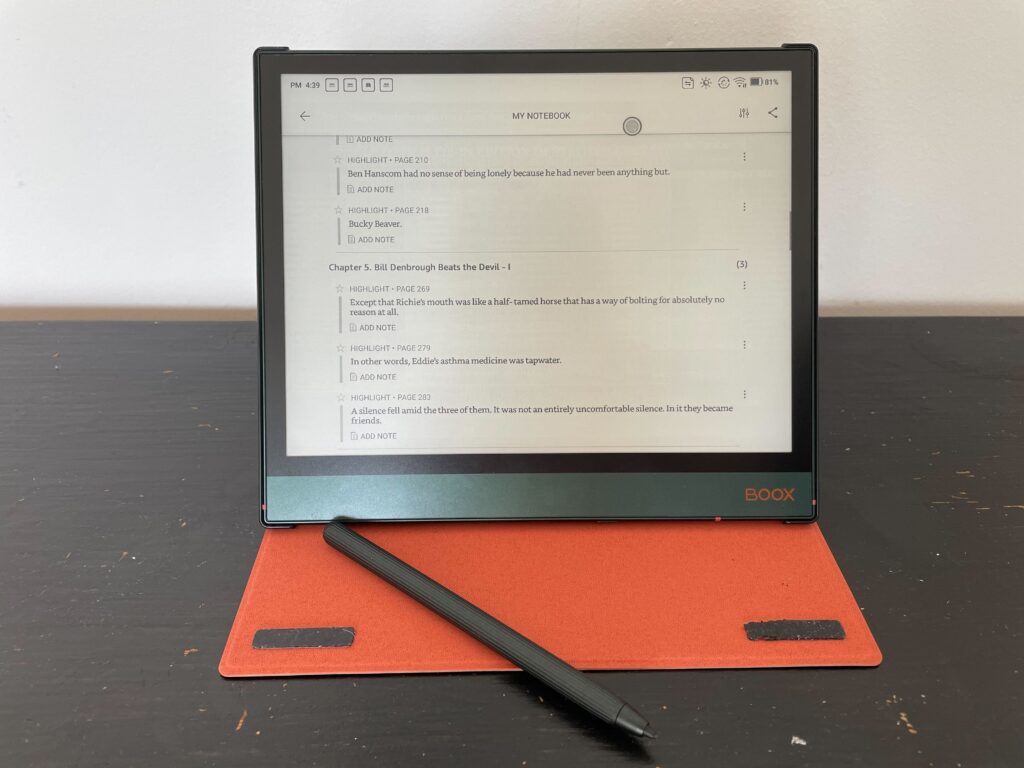
Despite not using the cover for the majority of my review, I really appreciated its inclusion, and the clip-on mechanism meant that it was never at risk of falling off or becoming displaced, unlike the case on the Huawei MatePad Paper.
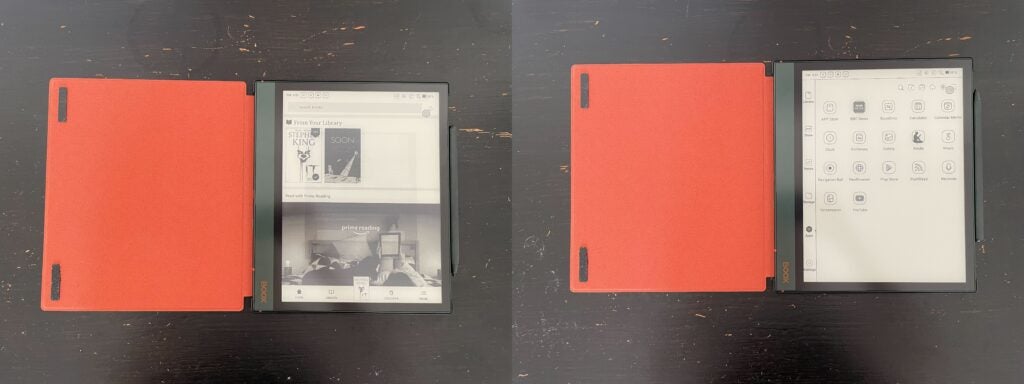
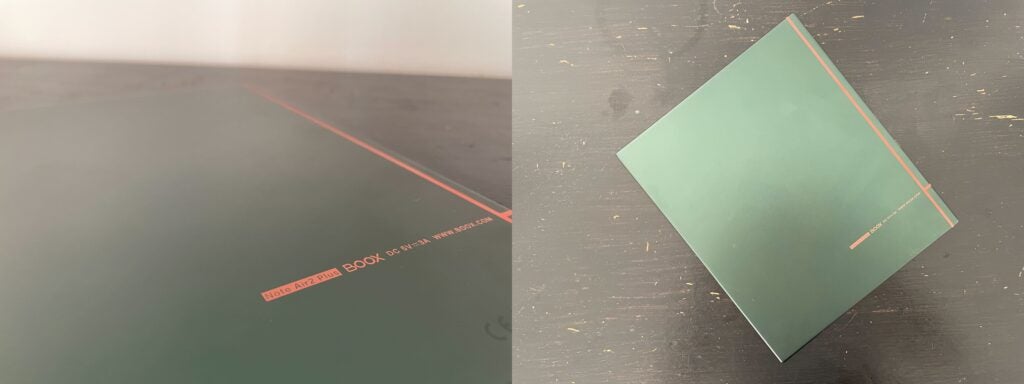
The case did come in handy for long journeys where I wanted to keep the e-reader protected, but at home, I preferred to go without, mostly due to how much I like the deep pine green colour of the device. There are orange accents on the back and on the front logo, and overall I found it very attractive and sleek, more so than my own blue Kindle Paperwhite.
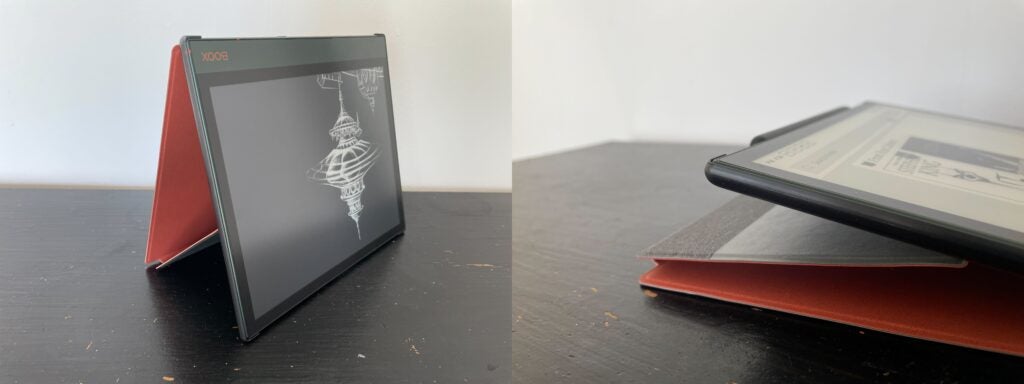
The case can also be used to prop up the e-reader, which was helpful to read on the train. I was able to magnetically dock the stylus onto the side of the device and I rarely had to deal with it falling off, which can’t be said for the Huawei MateBook E, which was ideal since the cover doesn’t have a clip to secure it.
The Note Air 2 Plus has one port, a USB-C charging port, as well as a power button. Despite leaning into the tablet motif, there are no volume buttons, although you can alter the audio from within the device.
Due to the E-Ink display, I never used this to watch video content, despite an app being available for download, but I did find that the audio quality was decent. There is Bluetooth supported here, though I used it very sparingly since I mostly used this device to read and browse, but I was grateful for its inclusion.
Display
- E-Ink Carta display
- 10.3-inch screen
- Adjustable backlight
The Note Air 2 Plus has an E-Ink display and has a 1404×1872 resolution and 227 DPI. This makes it easier on the eyes than an OLED panel, and as someone that struggles to look at screens for too long, it was very gentle and ideal to use in darker environments.
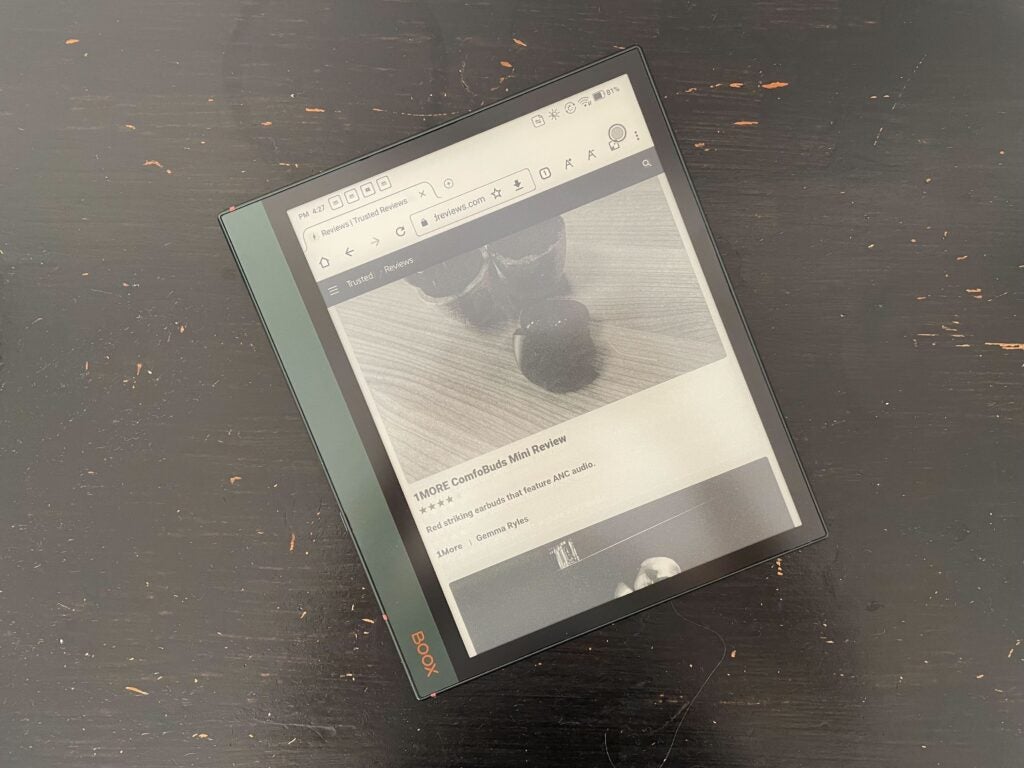
However, the monochrome display does limit it slightly, making pictures in books and articles more difficult to distinguish. I did download YouTube, though it wasn’t great to use since the refresh rate wasn’t good enough to run fast-paced video content.
While I didn’t mind that YouTube was inaccessible, I was confused why it was supported at all, since the E-Ink display obviously can’t handle fast-paced video content. Despite this, I still think this is ideal to use as an e-reader and a basic tablet, though I would advise that anyone looking to watch media look for a tablet with a more vibrant display, like an iPad.
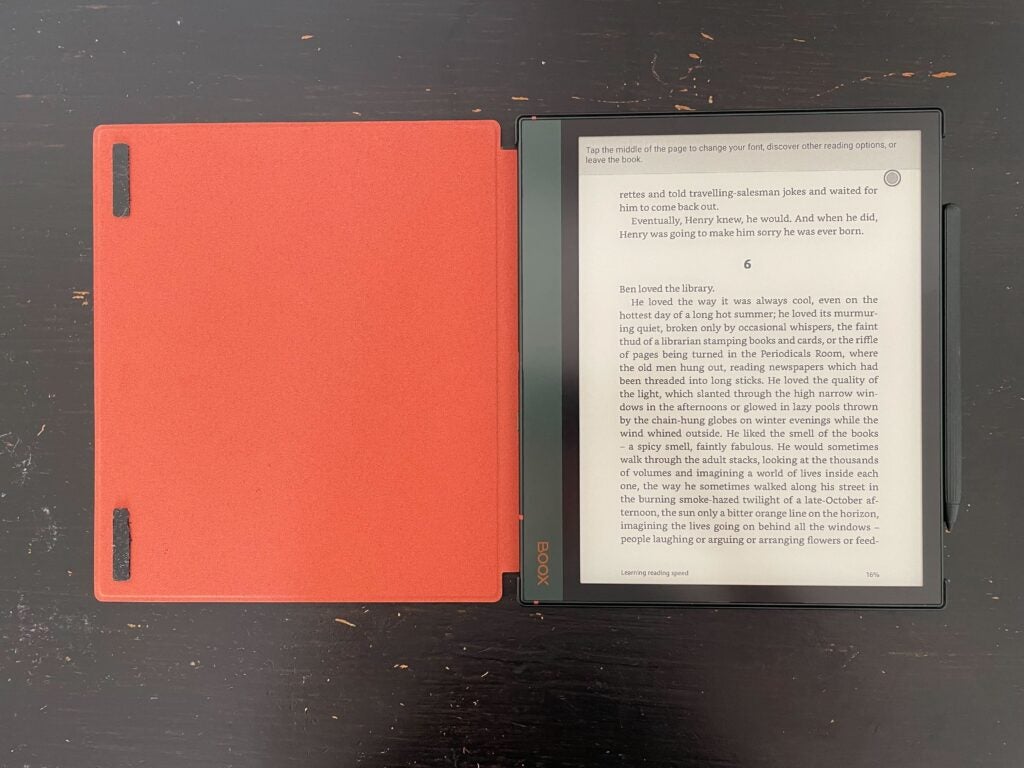
While this device doesn’t feature any LEDs, you can alter the brightness from the pull-down menu, with a mix of yellow and blue lighting and dimming options, which I found worked great in most environments. I personally lean towards a yellow-toned display, but I used the colder tones when I wanted to read outside or in other brightly lit areas, and generally, I didn’t have any experiences where I couldn’t read what was on screen.
I enjoyed reading books on the Note Air 2 Plus, and I felt like the words looked crisp and clear against the background. The ability to alter the brightness was great and since I was able to use the Kindle app, I could easily highlight passages I enjoyed and write notes using the split-screen feature and the Notes app.
The screen has a slight texture to it, which felt great while I used the bundled stylus. There is a slight resistance when I wrote, which was also the case on the MatePad Paper, which made it feel like I was writing on a piece of paper. However, some people did note a slightly annoying noise when I wrote, similar to the sound of a dry felt tip on paper, though I personally didn’t have an issue with it.
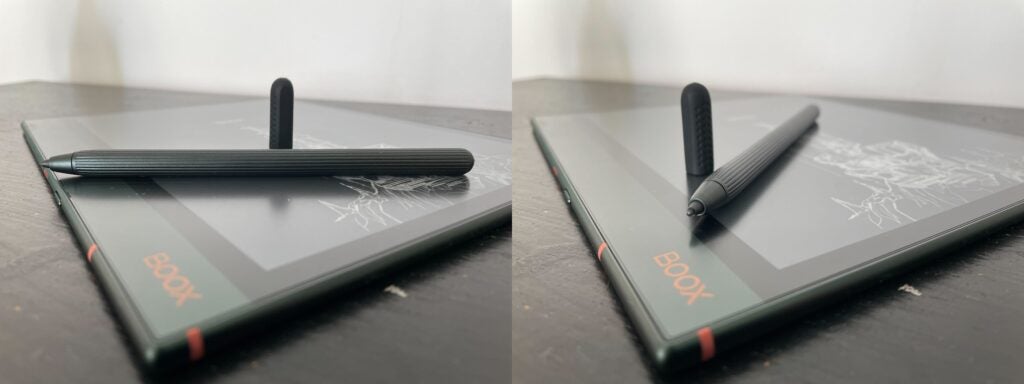
Since writing on the Note Air 2 Plus felt so good it did become my personal and work notebook during my review, with the ability to turn my handwritten notes into text or create voice recordings in the Notes app also being a great addition.
And I was pleased to note that the screen rarely suffered from screen burn, with the latency also being what I would expect for an E-Ink device. While it’s not as speedy to load up or respond as my iPhone – and I wouldn’t expect it to be – it doesn’t feel arduous to navigate the menus or enter my password, which was a massive improvement when compared to the MatePad Paper.
The only issue I sometimes had was that it could be difficult to come out of pages, as dragging up from the bottom of the screen would sometimes scroll me down the page rather than take me back to the home screen. However, the more I used the device the more intuitive it became, and overall I felt like it was a smooth experience.
Performance
- Runs on Android 11
- 4GM RAM and 64GB storage
- Speedy and responsive
The Note Air 2 Plus runs on Android 11, meaning that you have access to Google Play Store as well as the Kindle app, which was ideal for me since it’s where I do all my reading. I was able to download the Gmail app and email my notes, and generally download any other apps that I would want to use daily, like news or weather apps.
While I’m not an Android user myself, the app system was intuitive and easy to navigate, with the Play Store already installed when I turned on the tablet. This was a breeze to use and reminded me of my Kindle, and I think that anyone could get familiar with the format very quickly.
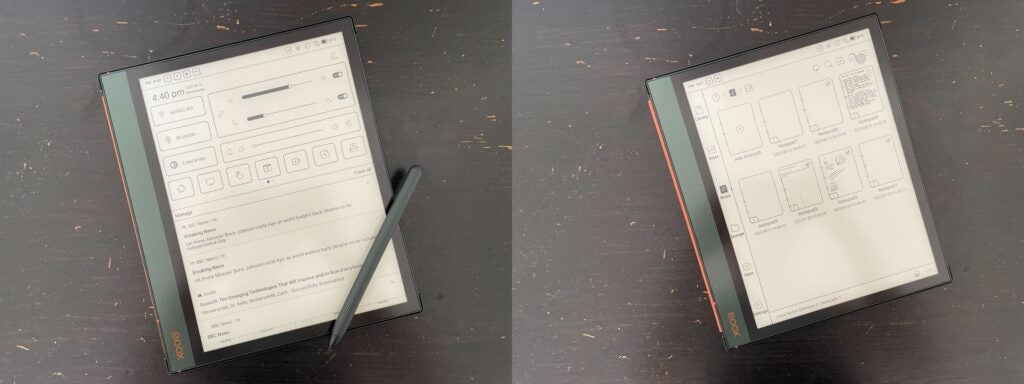
Since I also experienced very few glitches or stutters, I didn’t have issues moving around in my apps or loading up my books, which made the experience feel more premium.
The reader supports Wi-Fi and I was able to connect it to both my work and home internet with no issue. There is no 4G/5G option available though, so you will want to make sure all your books are downloaded before taking it on a journey. It also has Bluetooth support and could connect to my AirPods 2 with no issues, though as I’ve mentioned I rarely used this feature.
There is 64GB of storage which I thought was more than enough, with plenty of space remaining even after downloading the 1,369-page behemoth that is Stephen King’s IT.
Battery Life
- 3700mAh battery
- Can last around a week
The battery life on the Note Air 2 Plus was very reliable, and I could wait around a week before needing to charge it. I could read for 30 minutes with the battery dropping around 5-8%, depending on the lighting configurations.
I could also charge the tablet for 20 minutes and see the battery jump up by around 17%, which meant that I didn’t need to spend long charging the device before hopping on a long train journey where charging ports weren’t readily available.
There is no fast charging or wireless charging solution here, but since it loads up so quickly, and USB-C chargers are so readily available, I didn’t have any issue with the wired solution.
Latest deals
Should you buy it?
You want a solid e-reader that has some tablet capabilities: The Onyx Boox Note Air 2 Plus is a fantastic e-reader that comes bundled with a stylus, meaning you can take notes and doodle out of the box. With access to the Play Store, you can browse the web and download multiple apps, making it an ideal choice for anyone who wants a smart e-reader.
You want to watch video content: If you’re looking for a device that comes with a more vibrant screen and can handle video content, you may want to look towards a tablet, like the iPad series.
Final Thoughts
The Onyx Boox Note Air 2 Plus is a fantastic e-reader. The screen was easy on the eyes and I could read in both dark and bright environments, making it a versatile device. It was also comfortable to hold and I loved the green colour, giving it more personality than some other e-readers I’ve tried.
While it doesn’t have all the features you would associate with a tablet, I found that it was easy to browse the web and use day-to-day apps, though I would look elsewhere if you’re also looking to watch video content on your device.
Overall, I think this is a great alternative to the Kindle readers out there and something to consider if you’re interested in taking notes and creating doodles on your reader.


How we test
We test every e-reader we review thoroughly. We use the device over the review period. We’ll always tell you what we find and we never, ever, accept money to review a product.
Used two weeks before review
Used as a tablet and an e-reader
Used alongside the bundled pen
Tested the battery
You might like…
FAQs
Yes, this model comes with a free stylus and a free case.
The Plus variation comes in Green, while the vanilla variation comes in Blue.
Full specs
Sustainability
Trusted Reviews’ holds the fact that global warming is not a myth as a core value and will continuously endeavour to help protect our planet from harm in its business practices.
As part of this mission, whenever we review a product we send the company a series of questions to help us gauge and make transparent the impact the device has on the environment.
You can see a breakdown of the company’s answers to these questions below.
Materials used
The purpose of this section is specific to the product being reviewed. The goal is to ascertain the measures taken to use sustainably sourced, recycled materials in the product. There are no perfect answers, the goal is to show what has been done.
What proportion of the materials used has been responsibly sourced? (Please include as detailed stats as possible for plastic, metal etc and address the below points).
What proportion of the metal used was recycled?
- Frame and internal electronic components
What proportion of the plastics used were recycled?
- Compliant with WEEE and ROHS testing standards
What proportion of the materials were responsibly sourced?
Is the product made from renewable resources?
- Part of
What percentage of the materials used are biodegradable?
- Compliant with WEEE and ROHS testing standards
Is the packaging biodegradable?
- Yes
Is the product’s packaging responsibly sourced?
- Yes
Repairability
Trusted Reviews believes tech shouldn’t be thrown away the moment something goes wrong. Products should be easily repairable and receive company support for as long as possible. This section of the questions focuses on what guarantees are being made to ensure this on the specific product being reviewed. You do not have to answer yes to every question to receive a badge, the goal is transparency.
How long will the product be officially supported with software and security updates?
- 1. Boox is committed to offering 5GB Onyx cloud storage for free for all new and existing users. No matter which model you’ve purchased, you can get free 5GB cloud storage for each Onyx account to store your notes online and keep them safe and sound.
- 2. Boox is committed to providing free firmware updates for all models for more than 3 years since the product launch date. So every Boox user can get improved experiences through consistent updates.
How long is it guaranteed to be covered by an official repair policy?
- *According to the EU related policies, there is a 2-year warranty for any product purchased from BOOX Shop. What is more, BOOX Shop will be responsible for the shipping fees (back and forth) if the product need to be sent back to check or repair because of the quality problems within 30 days of receipt. After 30 days, BOOX Shop and customer should share the shipping fees.
Can all parts of the device be replaced or upgraded using publicly available tools?
- Due to the features of eink screen, in order to ensure wrong operation, we recommend that customers send them to our repair center for repair.
Are replacement parts readily available to the general public?
- eink screen components are not intended for retail sale
Does home repair void the product’s warranty?
- Yes
Recyclability
The purpose of this section is to establish what efforts have been made to ensure the product can be safely and sustainably disposed of. Don’t be afraid to not have perfect answers we want to flag what positive work is being done and will always factor in forward-looking statements where possible.
How many of the components/what materials used can be fully recycled?
- Device Frame, Display Screen, Battery
Are any components or parts permanently attached/unremovable to the point they cannot be recycled?
- No
Do you have an official recycling programme customers can use to ethically dispose of the product?
- Recycling program to be launched in the future
Do you have an official recycling programme customers can use to ethically dispose of the product?
- Recycling program to be launched in the future
Is the packaging recyclable?
- Yes
Supply chain
We know a lot of these questions will be hard to get answers for, but remember the purpose of this process is to help us educate readers about what work is being done and to help boost sustainability in consumer tech. Just getting people in businesses and on the high street to start thinking about these things is also a welcome side benefit, so feel free to include statements even if you can’t give definitive answers. We’ll always report accurately what is being said.
Have you undertaken a carbon footprinting exercise for the product?
- No
To the best of your knowledge, was it manufactured using ethically sourced labour?
- Yes
Does the product use any hazardous chemicals or materials that cannot be recycled or need specialist disposal? If so, what are they?
- No
How much electrical and chemical waste is produced while manufacturing the product?
- Compliant with WEEE and ROHS testing standards
The post Onyx Boox Note Air 2 Plus appeared first on Trusted Reviews.
https://ift.tt/Z32JiFa


Comments
Post a Comment